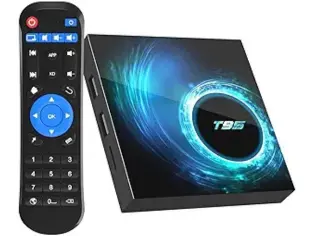
Android TV Box (4GB RAM, 32GB ROM, 6K, Wi-Fi 5.0, Bluetooth 5.0)
A capable all-rounder that runs every major IPTV app straight out of the box. Quad-core processor keeps playback smooth, and the dual-band Wi-Fi handles 4K without a wired connection. A solid pick if you want a dedicated device that lives behind the TV.